10 Places You Should Be Using a Professional Headshot (That You Probably Haven't Thought Of)
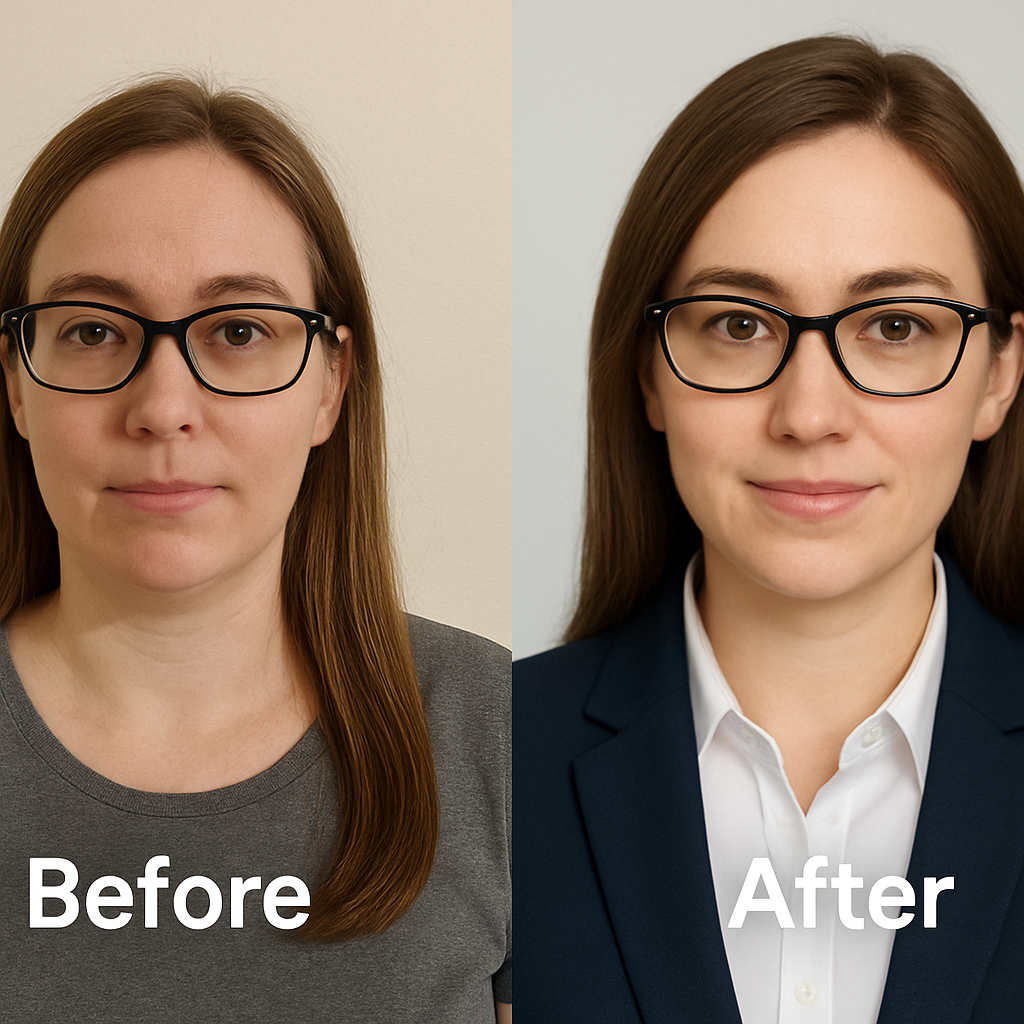
You invested in a great headshot. You updated LinkedIn. You likely updated your company Slack profile.
Then what?
For most professionals, the process stops there. This is a fundamental error in personal branding strategy. You are treating a high-leverage asset as a static file to be filed away. In reality, your face is the primary unit of trust in the digital economy. It is the visual anchor that connects your digital presence to your physical reality.
When you under-utilize your headshot, you break the trust loop. You force potential clients, partners, and colleagues to re-verify your identity at every new touchpoint. Conversely, a consistent and high-quality visual presence creates a compounding effect. It makes you instantly recognizable, easier to remember, and significantly more trustworthy.
In 2026, the "first impression" almost never happens in person. It happens on a screen. It happens in an email sidebar, a Zoom waiting room, or a search result. To maximize the ROI on your personal brand, you must ensure that professional image appears everywhere your name does.
We are going to look at 10 high-impact, often overlooked places where you should be leveraging this asset. This isn't just about vanity; it is about building a cohesive "Visual Trust Architecture" across every channel.
If you are reading this and realizing your current image is outdated or nonexistent, you do not need to book a studio session. You can generate studio-quality AI headshots with NovaHeadshot in minutes. We fit into the modern tech stack by turning your existing selfies into the polished, professional assets required for the strategies below.
Here is how to deploy your headshot for maximum impact.
1. Your Email Signature
You likely send dozens, perhaps hundreds, of emails every week. Each one of those is a micro-interaction that either builds or degrades trust. Yet most professionals treat the email signature as a throwaway space for legal disclaimers.
This is a waste of prime real estate.
Why it matters
The inbox is a crowded, noisy environment. Text-only signatures are easily forgotten. Visuals anchor the conversation. Data from 2025 indicates that email signatures with branded photos achieve 22% higher response rates than plain text versions.
When you include a headshot, you are not just signing off; you are re-asserting your humanity. In long sales cycles or remote team environments, this visual reinforcement builds familiarity without requiring a video call. It bridges the gap between a cold name on a screen and a real human being.
How to do it well
Implementation here requires technical precision. A large image will get blocked by spam filters or clutter the recipient's view.
- Crop Tight: Use a head-and-shoulders crop. Your face should fill 60-70% of the frame. At small sizes, a full-body shot becomes unrecognizable.
- Watch the File Size: Keep the image under 40KB. Heavy images slow down load times and trigger spam warnings.
- Use the Right Dimensions: A width of 300-400 pixels is standard for high-DPI displays, displayed at half that size (150-200px) in the HTML to ensure crispness on Retina screens.
Pro move: Synchronize your email headshot with your LinkedIn profile photo. When a prospect clicks from your email to your profile, the visual match triggers an instant psychological confirmation. It signals consistency and reliability.
2. Video Conferencing Profiles (Zoom, Teams, Meet)
We live in a remote-first world. You are on camera for the important meetings. But what about the webinars where you are just listening? What about when you need to turn your camera off to grab a glass of water?
That blank grey silhouette is a branding dead zone.
Why it matters
When your camera is off, you effectively disappear from the meeting's social dynamic. A professional headshot maintains your presence in the room even when you are not technically "there."
This is critical for large organizations. In meetings with 20+ participants, it is impossible to track who is speaking if half the grid is generic initials. A bright, professional photo helps colleagues and clients locate you on the grid. It conveys that you are present and engaged, even if your video feed is disabled.
How to do it well
The constraints here are different from email. You are often competing with dynamic video feeds.
- Lighting is Key: Use a photo with bright, even lighting. Dark, moody photos disappear against the black backgrounds of Zoom or Microsoft Teams.
- Contrast: Ensure there is good contrast between your head and the background.
- Platform Consistency: Update this across every tool your team uses. Zoom, Google Meet, Slack, and your internal HR directory should all use the exact same file.
If you use NovaHeadshot, you can generate variations with different background colors. You might choose a clean white background for Slack to blend with the interface, but a vibrant color for Zoom to pop off the screen.
3. Digital Business Cards & QR Codes
The paper business card is dead; long live the digital card. The market for digital business cards is projecting massive growth, reaching over $242 million by next year. This shift is driven by the need for real-time updates and integration with CRM systems.
Why it matters
When you meet someone at a conference in 2026, the interaction is fleeting. You might scan a QR code or tap a phone. If that digital landing page does not immediately visually connect back to you, the person standing in front of them, the connection is lost.
A digital card with a professional headshot creates a seamless experience: Meeting → Scan → Visual Confirmation → CRM Entry.
How to do it well
Most people use a generic avatar or a low-quality selfie on their digital card profiles. This degrades the perceived value of the interaction.
- Clean and Professional: Use a simple background. Complex backgrounds get muddy on mobile screens.
- High Resolution: Modern smartphones have incredible display density. A low-res image will look pixelated and cheap.
- Brand Alignment: Match the color palette of your digital card background to your clothing or company brand colors.
If you are using platforms like Popl or Blinq, ensure your headshot is the primary visual element. If you print QR codes on physical flyers or booth banners, place your headshot next to the QR code. It humanizes the technology and increases scan rates by promising a human connection on the other side.
4. Speaker One-Sheets & Event Pitch Decks
You want to speak at conferences. You want to be a guest on podcasts. You pitch yourself to organizers.
What is the first thing they look for? Credibility.
Why it matters
Event organizers are in the business of selling tickets and attention. They need speakers who look the part. 78% of event organizers state that a high-quality headshot increases their interest in a session or speaker.
Your headshot is not just for identification; it is a marketing asset for the event. Organizers will use it on landing pages, social media promo graphics, and large-format screens. If you provide a grainy selfie, you are creating work for them. If you provide a studio-quality, high-resolution image, you are solving a problem for them.
How to do it well
- Formal vs. Approachable: Have two versions ready. A "Keynote" version (more formal, authoritative) and a "Fireside Chat" version (warmer, more relaxed).
- Negative Space: This is a designer's best friend. Provide a shot with plenty of room around your head and shoulders. This allows the event's design team to crop the image into circles, squares, or banners without cutting off your ear or chin.
- The Speaker Pack: Create a permanent Dropbox or Google Drive folder containing your bio, your high-res headshots (print and web versions), and your social links. When someone asks, send one link. It signals that you are a pro who is ready to go.
5. Online Directories & Professional Associations
You probably set up a profile on a local chamber of commerce site or an alumni directory five years ago and haven't touched it since.
This is a "latent" SEO risk. These directory pages often have high domain authority. When someone Googles your name, these profiles frequently appear in the top 5 results.
Why it matters
In local SEO, the Google Business Profile is king. Profiles that are complete receive 7x more clicks than incomplete listings. Your photo is a primary completeness factor.
Beyond Google, industry-specific directories (like Healthgrades for doctors or TripAdvisor for hospitality) are high-intent channels. A potential client browsing a directory is in "comparison mode." A professional, trustworthy photo effectively wins the click before they even read your bio.
How to do it well
- Audit Your Footprint: Search for your name. List every directory that appears on page 1 and 2.
- Unify the Visuals: Upload your primary NovaHeadshot to all of them. This consistency trains the searcher's brain to recognize you across different platforms.
- Check the Crop: Directories use widely varying aspect ratios. Some are square, some are circular, some are rectangular. Check each one to ensure you aren't being awkwardly cropped.
6. Guest Posts, Articles & Media Features
Content marketing remains a primary growth loop for personal brands. If you are writing guest posts, whitepapers, or contributing quotes to journalists, you are trading your expertise for exposure.
Don't let that exposure be a grey avatar.
Why it matters
Your byline is your flag. It is what readers remember. Journalists and editors often reuse the same image across multiple pieces. If you establish a "visual brand" with a high-quality headshot, that image becomes synonymous with your specific domain expertise.
Furthermore, media outlets have strict requirements. They need high-resolution images that can survive the transition from digital to print if necessary. Providing a low-quality image can actually disqualify you from being featured in premium spots.
How to do it well
- Timelessness: Avoid trendy filters or highly specific seasonal clothing. You want this image to remain relevant for 1-2 years of syndication.
- Orientation: Provide both landscape and portrait options. Editors love landscape shots because they fit better in modern article headers and social sharing cards.
- The "Media" Folder: Just like the speaker kit, keep a "Media Kit" ready. It allows you to respond to press inquiries in minutes, not days. Speed is often the deciding factor in who gets the quote.
7. Webinars, Online Courses & Community Platforms
The e-learning and community space has exploded. Platforms like Udemy, Teachable, Circle, and Skool rely heavily on instructor branding to drive enrollment.
Why it matters
In an online course, the instructor is the product. Students are buying your authority and your ability to teach. A professional headshot correlates directly with higher enrollment and retention rates because it signals quality.
If the course thumbnail looks low-effort, students assume the course content is low-effort.
How to do it well
- Expression Matters: For education, you want to signal "approachable competence." A severe, unsmiling photo can be intimidating. A warm, open expression invites the student to learn.
- Thumbnail Optimization: Course cards are often small. Your face needs to be clear even at 200x100 pixels. Avoid busy backgrounds that compete with your face.
- Context: If you are teaching a creative skill, a more casual, colorful shot works. If you are teaching corporate finance, stick to a cleaner, more formal look.
8. Internal Company Docs & Org Charts
We often focus on external marketing, but your "internal personal brand" is just as vital for career trajectory.
Why it matters
In large or distributed organizations, you will work with people you never meet in person. Your photo in Lattice, BambooHR, or Notion is the only visual context they have for you.
Consistent, professional headshots across an organization improve cross-functional collaboration. They reduce the "anonymity barrier" that makes remote communication feel cold. When you look like a pro in the org chart, you are perceived as someone who takes their role seriously.
How to do it well
- Match the Culture: If your company has a specific style guide (e.g., "bright colors," "studio grey background"), follow it.
- Update Often: If you change your hair or glasses, update your internal photo. You want colleagues to recognize you instantly when you finally do jump on a video call.
- Manager Tip: If you lead a team, standardizing headshots is a quick win for team cohesion. See how our platform works for teams to get everyone on brand without the logistics of a photo day.
9. Press Kits & Personal Brand Landing Pages
You might think press kits are only for celebrities. In 2026, every knowledge worker needs a "home base." This could be a personal website, a Notion page, or a Linktree.
Why it matters
Journalists are busy. 68% of journalists say they are more likely to cover a subject if they have easy access to a media kit. It removes friction.
By hosting your own high-resolution images, you control the narrative. You prevent the media from grabbing that blurry Facebook photo from 2018 that you hate. You ensure that when you are featured, you look exactly how you want to look.
How to do it well
- Variety: Include 3-4 options. One standard headshot, one casual, one action/speaking shot if you have it.
- Usage Rights: Explicitly state that these images are free for media use. This legal clarity is comforting to editors.
- Downloadable Links: Don't just put the image on the page. Provide a direct "Download High-Res" link.
10. Printed Collateral You've Been Ignoring
We live in a digital world, but print still commands a unique authority. Conference programs, flyers, local magazine features, and business cards require different specs than the web.
Why it matters
Digital screens are forgiving. Paper is not. If you try to print a 72 DPI web photo on a conference brochure, it will look blurry and amateurish. Standard print resolution is 300 DPI.
A crisp, high-quality printed image feels tangible and permanent. It signals that you have "arrived."
How to do it well
- Resolution is Non-Negotiable: You need a file that is at least 3000 pixels on the long edge for a decent print size (like an 8x10).
- CMYK vs RGB: Print uses CMYK color space. Screens use RGB. Ensure your headshot converts well. Dark photos often print much darker than they look on a screen, so aim for slightly higher exposure/brightness for print files.
- Avoid AI Artifacts: If you use AI headshots, quality is paramount. Early AI models struggled with skin texture, which looks plastic in print. NovaHeadshot is engineered to maintain realistic skin texture specifically to pass the "print test."
How to Keep Your Headshot Consistent Everywhere
The goal is not just "having a photo." The goal is ubiquity and consistency. You want to build a system where your visual brand works for you on autopilot.
Here is the framework:
- The Master Asset: Choose 1 primary headshot. This is your "canonical" face. Use it on LinkedIn, email, and your primary social channel.
- The Derivative Assets: Create specific crops for specific platforms (Circle for avatars, Landscape for media, High-Res for print).
- The Audit Loop: Set a recurring calendar invite for once a year. "Update Headshots." Check your list: Email, Zoom, Slack, LinkedIn, Bio. If your look has changed, update the asset.
- The Central Repository: Keep all these files in one cloud folder shareable via link. Never search your hard drive for "headshot_final_v3.jpg" again.
Building Your Visual Trust Architecture
We are moving past the era where a headshot was just a requirement for your ID badge. In the modern tech stack, your image is a functional component of your growth loop. It converts strangers into familiar faces. It lowers the friction of trust.
If you are trying to build authority, sell services, or lead a team, you cannot afford to have a visual gap in your strategy.
The barrier to entry for this level of quality used to be high—hundreds of dollars and hours of time. That friction is gone. With AI, you can iterate on your visual brand as fast as you iterate on your product.
Ready to upgrade your visual trust architecture?
Get professional AI headshots with NovaHeadshot today. Upload your selfies, get back studio-quality assets, and start deploying them across the 10 channels that actually move the needle for your career.
Ready to Create Your Professional Headshots?
Transform your selfies into professional headshots in under 20 minutes. Join thousands of professionals who trust Nova Headshot for their AI-generated headshots.